Okay, so check this out—I’ve spent a lot of late nights poking around pending transactions, watching gas spike during token launches, and debugging why a contract call failed. Wow, it’s a weird mix of finance, internet plumbing, and human impatience. At first it feels opaque. But once you get the hang of the basic signals—nonce, gas limit, gas price (or max fee/max priority fee)—it becomes a readable system, not magic. My instinct said “this is unnecessarily complex,” but actually, there are good reasons for each piece. And yeah, some of it still bugs me… but you can be fluent fast.
Here’s the quick promise: if you already use wallets like MetaMask, this will level you up. If you don’t yet, you’ll at least know what to look for when you click “confirm.” I’ll cover how transactions flow, why gas matters, how gas trackers help (and when they lie), and practical explorer tricks—like seeing internal txs or verifying a contract—so you’re not scratching your head the next time a swap fails.

What an ETH transaction actually is (and why anyone cares)
Short version: a transaction is a signed instruction to the Ethereum network. Medium version: it can move ETH, call a smart contract, or deploy one. Longer version—okay, this matters—because every state-changing operation requires computation, and the network needs a way to price that computation, which is gas. Without gas, spam would kill the chain.
When you send a transaction you’ll see a few fields that matter: nonce (your account’s sequence number), gas limit (how much work you’re willing to pay for), and the gas fees. Since London (EIP-1559) the fee model split into base fee (burned) and priority fee (tip to miners/validators). That changed how wallets estimate costs, and yes, sometimes estimates are off—especially during sudden congestion.
Gas trackers: what they do and what they don’t
Gas trackers are your dashboard for network sentiment. They sample recent blocks, compute percentiles, and suggest speeds like “slow / average / fast.” Many sites and extensions also show a fee history graph. Use them to set reasonable priority fees. Simple enough? Yes. Perfect? No.
Why they can lie: different trackers use different sampling windows and percentiles. If some whale drops a huge tip to front-run, the tracker might skew high briefly. Also, L2s and rollups complicate the picture—on some setups the on-chain fee doesn’t reflect your real cost end-to-end.
Pro tip: when you see an urgent mempool spike, check multiple sources and your wallet’s default. I often cross-check a gas oracle with a dedicated tracker and the explorer’s recent blocks. That triangulation saves failed tx retries and burning extra ETH on tips.
Using an Ethereum explorer the right way
Explorers are like the block-level search engines of Ethereum. They surface transaction status, traces, contract source code, token transfers, and internal calls. If a swap failed, the explorer will often show the revert reason—if the contract included one—or at least the trace so you can see which call ran out of gas.
Start with the transaction hash. Paste it into an explorer and watch the lifecycle: queued, pending, mined. Look at gasUsed vs gasLimit—if gasUsed == gasLimit and tx failed, you probably underpriced gas or hit a revert. Also check logs and token transfers: sometimes the transfer happened but a later step reverted.
One practical habit that saved me more than once: copy the “From” and “To” addresses into the explorer and check age/activity. Scam/impersonator accounts often have zero history or only recent deployments. Also, verifying contract source code is a huge trust signal—when it’s verified, the explorer exposes human-readable solidity and ABI.
Extensions and quick workflows
If you want the smoothest inspection while browsing dapps, try a browser tool that surfaces transaction previews before you sign. For example, the etherscan browser extension (linked here) integrates quick lookups and transaction decoding right in your browser, which is handy when you don’t want to bounce between tabs.
Some extensions will decode calldata so you can see function names and parameters. That is huge. Instead of blindly approving “Contract Interaction,” you get: swapExactTokensForTokens(amountIn, path, to, deadline). Now you know what to expect. Be careful though—extensions require permissions, and you should install only from trusted sources.
Common pitfalls and how to avoid them
1) Underpriced priority fee. If your tx sits for minutes, bump the tip—not the base fee. 2) Wrong nonce. Parallel transactions from multiple windows can misorder. 3) Approving max tokens impulsively. Approvals are powerful; consider setting smaller allowances when interacting with unfamiliar contracts. 4) Relying solely on one gas tracker. Cross-check.
Also—small tangential note—if you’re using ledger or hardware wallets, watch for signature prompts that don’t match exactly what your dapp shows. Hardware adds security, but UX mismatch can cause you to sign something unexpected. I learned that the hard way once. Somethin’ to be mindful of.
Advanced: traces, internal transactions, and debugging fails
When a tx fails, traces tell the story. Internal transactions are calls executed within contracts (they don’t show up as normal transactions on your wallet but will appear in the explorer). Use the trace to see which internal call consumed the gas or threw the revert. Some explorers show a decoded revert reason; if not, you can sometimes infer it from the call parameters and contract code.
Another advanced move: replaying a transaction on a local fork to test fixes before resubmitting. This is more developer territory, but even advanced users learning from dev tools get huge benefits: you can adjust gas settings or parameters until the tx succeeds in a safe environment.
Common questions
Why did my transaction say “nonce too low”?
That happens when the network already has a tx with the same nonce from your account. Maybe you resubmitted an earlier one or a prior parallel attempt finally propagated. If things look stuck, you can replace the pending tx with the same nonce and a higher fee (a “speed up”) or, if you need to cancel, send a 0 ETH tx to yourself with that nonce and a higher fee.
Are gas tokens or optimizers worth it?
Short answer: mostly a historical curiosity since EIP-1559 burned base fees. Some L2s have their own dynamics, but for regular users, focusing on good fee estimation and timing (avoid network rush hours) is the practical route.
How can I tell if a contract is safe?
Look for verified source, audit badges (but don’t treat them as gospel), the ability to read ownership/roles in the code, and activity history. Big red flags: transfer functions with owner-only withdraws, strange fee logic, or freshly created tokens with massive owner balances. Always be skeptical—I’m biased, but I prefer verified and battle-tested contracts.







 News
News
 Genel
Genel
 Genel
Genel
 Genel
Genel














 Ramazan ayı başlıyor
 İşsizlik oranı dördüncü çeyrekte geriledi
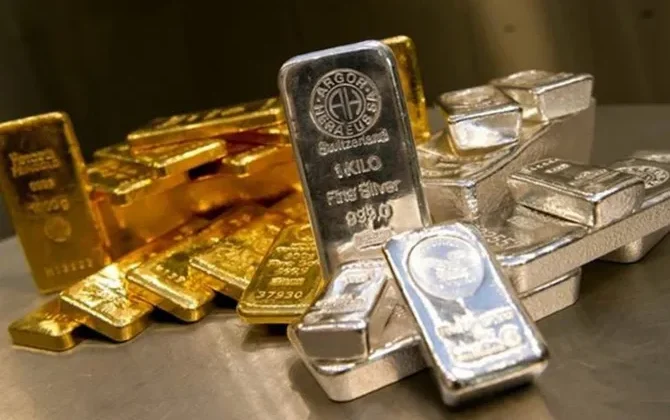 Altın ve gümüş kayıplarını telafi ediyor
 Ticaret Bakanlığı’ndan yasa dışı bahis ve bıçak kararı
 Marmara’da deniz ulaşımına fırtına engeli
 Galatasaray, dünyanın gündemine oturdu.
 Ahmet Davutoğlu: Açık söyleyeyim maddi sıkıntılar yaşıyorum
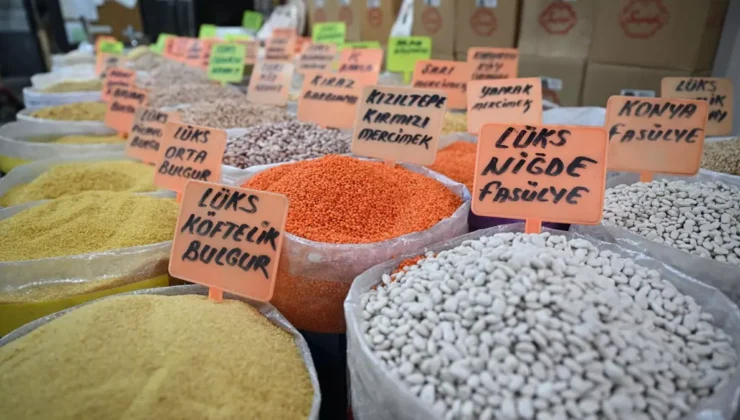 Ramazan ayı boyunca fiyatlar sabitlenecek
 Altın ve gümüş yeniden düşüşte
 Yasa dışı bahis operasyonu. Bir futbol kulübüne el konuldu
 Ünlülere uyuşturucu operasyonu
 Türkiye’nin modernleşme serüveninde bir dönüm noktası
 İmamoğlu’nun yargılandığı diploma davasında kritik karar
 Almanya; “Türkiye’de 4 ile gitmeyin”
 Özgü Namal’ın Türkiye yanıtı takdir topladı